starting at $32 per Hour
* Pricing shown is for reference only and reflects standard starting rates. Ongoing and long-term service agreements may qualify for customized pricing, service levels, included features, and operational support based on contract length, schedule, volume, location, site requirements, and other operational considerations. Short-term, temporary, project-based, and one-time assignments typically require greater staffing flexibility and may be subject to higher rates. Certain service features and included allowances may not apply to short-term, temporary, project-based, or one-time assignments.
The Overall Performance Rating (OPR) is an internal score calculated by averaging an officer's performance across five categories: Attendance, Appearance, Communication, Professionalism, and Job Completion.
Each category is scored on a scale of 1 to 5, and the average becomes the officer's OPR for that evaluation period.
Example:
Attendance 5
Appearance 4
Communication 3
Professionalism 4
Job Completion 4
---------------------------
OPR 4
Anyone can have a good week. Minimum hours worked help ensure rank placement reflects sustained performance, not just short-term results. Higher-ranked officers have maintained their standards across hundreds or thousands of hours of real-world service.
Rank Characteristics describe the general performance expectations associated with each service rank. While every officer is unique, higher-ranked officers typically demonstrate stronger performance, greater consistency, lower turnover, and require less management intervention than lower-ranked personnel.
Post Orders are the written instructions officers follow while on duty. DRS Protect creates, maintains, and updates Post Orders based on the client's requirements, expectations, procedures, and assigned responsibilities to establish clear performance expectations and promote consistency across assigned personnel.
DRS Protect reviews site requirements, creates initial Post Orders, develops AI Knowledgebases, and trains assigned personnel to help ensure officers understand site-specific expectations, procedures, and responsibilities during onboarding and ongoing operations.
DRS Protect utilizes AI-powered monitoring, GPS tracking, and geofencing technology to help verify officer attendance, monitor activity, and promote accountability in real time.
Key Features:
- Officers can only clock in when physically located within the designated work area.
- Geofencing helps prevent early clock-ins, remote clock-ins, and time theft.
- Management receives automatic notifications when an officer has not clocked in within a defined period after their scheduled start time.
- Officers are automatically clocked out if they leave the designated work area without authorization.
- Real-time alerts are generated when attendance or location-related issues are detected.
- Live GPS tracking allows management to view officer locations and assigned routes in real time.
- GPS breadcrumb tracking creates a visual map of officer movement throughout a shift, helping verify patrol activity and identify areas that may not have been inspected or patrolled.
- Activity and attendance records are maintained to support performance management, investigations, and quality assurance.
Why It Matters:
Traditional security providers often rely on manual supervision, periodic site visits, or client complaints to evaluate officer performance. DRS Protect uses technology to help verify attendance, location, patrol activity, and job completion, providing clients and management with greater transparency and accountability.
The AI Knowledgebase is like having a supervisor available 24/7 to answer questions, explain procedures, and provide guidance while officers are on duty.
If an officer is unsure how to perform a task, respond to a situation, complete a report, or follow a site procedure, they can simply ask a question through the AI Knowledgebase. The system will provide immediate guidance using approved Post Orders, company policies, procedures, and site-specific instructions.
Rather than waiting for a supervisor, account manager, client representative, or another officer to respond, personnel can receive real-time answers and supporting documentation while actively performing their duties.
Example Questions:
- "What should I do if a resident asks me to unlock a gate?"
- "Can I wear white sneakers?"
- "How often am I required to patrol the property?"
- "What is the procedure for a noise complaint?"
- "Who do I call for a water leak?"
- "How do I document a parking violation?"
The system provides the appropriate guidance along with relevant excerpts from Post Orders, policies, procedures, and other approved documentation whenever available.
Why It Matters:
Security personnel regularly encounter situations that require guidance, clarification, or confirmation before taking action. Traditional security operations often rely on supervisors, property management, or other personnel to answer these questions. The AI Knowledgebase provides immediate access to information, helping personnel make informed decisions while maintaining consistency across the entire security program.
DRS Protect utilizes a combination of AI-powered monitoring, operational data, management oversight, and client feedback to evaluate officer performance and identify potential issues.
When performance concerns are detected, the system may automatically generate corrective action notices, coaching opportunities, or management reviews based on predefined performance standards.
Examples may include:
- Late arrivals
- Missed clock-ins
- Leaving an assigned work area without authorization
- Call-offs submitted without required notice
- Incomplete assigned tasks
By automating the identification and documentation of objective performance issues, DRS Protect can address many concerns immediately rather than relying solely on client complaints, manual investigations, and delayed corrective action processes.
Why It Matters:
Traditional security providers often rely on clients or supervisors to identify and report performance issues before corrective action can be taken. DRS Protect uses technology to automatically identify many objective attendance and performance issues as they occur, helping promote accountability, consistency, and timely corrective action.
All service levels include Activity Reports, Incident Reports, and Maintenance Reports as required by site operations. Reports are automatically distributed to client-designated recipients upon submission and are completed electronically, with features designed to improve accountability, documentation, and communication.
Key Features:
- Date, time, and GPS stamping on report entries and submissions.
- Live photo verification to document observations, incidents, patrol activity, and maintenance issues.
- Conditional workflows that guide officers through required actions based on their responses.
- Automatic report distribution to client-designated recipients.
- Custom notification routing based on report type, severity, or event category.
- GPS pinning for precise location documentation.
- Audio, video, file, and image attachments.
- Electronic signature capture when required.
- Mobile-friendly reporting from virtually any location in the field.
Examples:
- If an officer reports an unsecured door, the system may automatically instruct the officer to secure the door, notify designated personnel, and document corrective actions.
- If a major incident is reported, notifications can be automatically distributed to designated contacts while less significant issues are routed to alternate personnel.
- If an officer submits a patrol observation, GPS data, timestamps, and supporting media may be attached to provide additional documentation.
Why It Matters:
Traditional reporting systems often rely on handwritten logs, basic forms, or checkpoint systems with limited accountability and visibility. DRS Protect's reporting platform combines electronic reporting, automated workflows, validation tools, media attachments, and automatic distribution to help ensure observations, incidents, and maintenance issues are documented and communicated consistently. This allows clients, officers, and management to operate from the same information while improving accountability and documentation quality.
Support Response Goals identify the target timeframe for responding to non-emergency client requests, questions, concerns, and administrative inquiries. Incidents determined by DRS Protect to involve life safety, crimes in progress, active emergencies, significant property damage, or other urgent operational matters may be escalated separately and are not subject to standard response goals.
Custom Reports are client-specific forms created beyond DRS Protect's standard Activity, Incident, and Maintenance Reports. These reports are designed to document site-specific tasks, inspections, observations, and operational requirements unique to a particular property, client, or assignment.
Examples may include:
- Lease Violation Reports
- Parking Enforcement Reports
- Light Inspection Reports
- Grounds Inspection Reports
- Pool Inspection Reports
- Storage Room Check-In/Check-Out Logs
- Amenity Inspection Reports
- Vacant Unit Inspection Reports
- Vehicle Inventory Reports
- Property Condition Reports
Custom Reports help ensure site-specific responsibilities are documented consistently across assigned personnel while providing clients with visibility into tasks, inspections, and operational requirements that are not captured through standard reporting.
Why It Matters:
Every property operates differently. Custom Reports allow DRS Protect to document the information that matters most to each client, creating consistency, improving accountability, and ensuring site-specific duties are completed and properly documented.
A Custom Training Video is a site-specific training resource created by DRS Protect. Videos may include patrol routes, site layouts, procedures, equipment instructions, reporting requirements, site expectations, and other operational requirements unique to the assignment.
While Post Orders and the AI Knowledgebase provide personnel with written instructions and real-time guidance, Custom Training Videos provide visual demonstrations that show officers how tasks are performed in the field. In many ways, they function like a supervisor conducting a site walkthrough and demonstrating procedures step-by-step.
Examples may include:
- Property walkthroughs
- Patrol route demonstrations
- Access control procedures
- Equipment operation and use
- Reporting requirements
- Emergency response procedures
- Site-specific rules and expectations
Custom Training Videos help promote consistency across assigned personnel by providing a standardized training resource that can be accessed on demand by newly assigned, replacement, and existing officers. They can also be used as refresher training to reinforce procedures and expectations over time.
Clients receive permanent access to all completed training videos for future onboarding, refresher training, and operational reference purposes.
Why It Matters:
Traditional site training often relies on verbal instruction, handwritten notes, or one-time walkthroughs that may be interpreted differently by each officer. Custom Training Videos provide a consistent training experience that can be repeated as often as necessary, reducing onboarding time, improving understanding of site-specific procedures, and helping ensure personnel receive the same information every time.
The Client AI Knowledgebase expands the DRS Protect AI platform with client-specific information, procedures, records, directories, and operational resources beyond standard Post Orders and company policies.
While the standard AI Knowledgebase helps officers understand how to perform their duties, Client AI Knowledgebases provide immediate access to information unique to a specific property, client, community, or organization.
Examples may include:
- Resident directories
- Approved occupant records
- Vendor contact lists
- Emergency contacts
- Property rules and regulations
- HOA documents
- Parking assignments
- Amenity policies
- Building maps and site information
- Site-specific procedures
Example Questions:
- "Who lives in Unit 204?"
- "Is John Doe an approved resident?"
- "What are the pool rules?"
- "Is this vehicle assigned to a resident?"
- "Which parking space belongs to Unit 115?"
The system provides immediate answers using approved client documentation and information sources.
Why It Matters:
Officers frequently encounter situations that require information that does not belong in Post Orders but is essential to performing their duties effectively. Traditionally, this often requires contacting property management, maintenance personnel, or other designated contacts and waiting for a response.
The Client AI Knowledgebase acts like having the client available 24/7 to answer questions and provide guidance. Rather than calling a manager at 3:00 AM or during a busy workday to ask how to handle a delivery, locate a vendor contact, verify a resident, or confirm a site-specific procedure, personnel can receive immediate answers from approved client documentation and information sources.
This helps reduce unnecessary phone calls, improve response times, increase consistency, and allow officers to resolve routine questions without interrupting property managers, maintenance personnel, or other designated contacts.
Example:
A delivery driver arrives after hours, but the Post Orders do not specifically address the situation. Rather than contacting property management and waiting for a response, the officer can ask the Client AI Knowledgebase how deliveries should be handled and immediately receive guidance based on approved client documentation.
Virtual Client Meetings are scheduled account review meetings conducted outside of normal support channels. These meetings provide an opportunity for DRS Protect and the client to discuss operational concerns, staffing changes, performance issues, incidents, site conditions, service recommendations, Post Order updates, and other account-related matters.
Meetings may also be used for routine account reviews, incident debriefs, corrective action discussions, performance evaluations, client feedback, action planning, and service improvement initiatives.
Virtual Client Meetings are separate from routine support requests. Clients may continue to contact DRS Protect regarding operational concerns, incidents, staffing issues, and service-related questions through normal support channels regardless of rank.
Why It Matters:
Security programs perform best when clients and service providers communicate regularly. Virtual Client Meetings provide a structured opportunity to review site operations, discuss concerns, evaluate performance, and identify opportunities for improvement before minor issues become larger problems.
A Turnover Event occurs whenever an assigned officer must be replaced for any reason, including resignations, terminations, client-requested removals, transfers, promotions, scheduling changes, or other staffing-related circumstances.
The Included Turnover Events shown in the service feature chart represent the number of personnel replacements DRS Protect will absorb at its own expense. This includes the recruiting, hiring, onboarding, scheduling, training, uniform, and administrative costs associated with staffing a replacement.
Once the included turnover allowance has been exhausted, additional personnel replacements may be billed to the client at the current Turnover Event rate.
Why It Matters:
Replacing personnel involves significantly more than assigning a new officer. Recruiting, onboarding, training, uniforms, scheduling adjustments, and administrative work all create costs and operational disruption. Included Turnover Events provide flexibility when staffing changes become necessary while encouraging thoughtful personnel decisions and long-term staffing stability.
Flex Coverage determines how replacement personnel are sourced and billed when assigned officers are unavailable.
1st Available Officer
The shift is offered to available qualified personnel. The first eligible officer who accepts the shift may be assigned. The client is billed based on the rank of the replacement officer who fills the shift. Example: If a Prime officer accepts coverage for a Core site, the Prime rate applies.
Site Rank Priority
The shift is first offered to personnel matching the site's selected rank before broader staffing options are considered. The client is billed based on the rank of the replacement officer who fills the shift. Example: A Pro site is first offered to Pro officers. If no Pro officer accepts, the shift may be filled by another qualified officer and billed according to that officer's rank.
Site Rank
Replacement coverage is sourced from personnel matching the site's selected rank whenever possible. The client is billed at the site's contracted rank regardless of whether the replacement officer is of equal or greater rank. Example: An Elite site remains billed at the Elite rate whether the replacement officer is Elite or Prime.
Site Rank + Management Backstop
Replacement coverage is sourced from personnel matching the site's selected rank. If normal staffing efforts are unsuccessful, DRS Protect may utilize additional management resources to help maintain coverage. The client is billed at the site's contracted rank regardless of who ultimately provides coverage. Example: A Prime site remains billed at the Prime rate whether a Prime officer or a manager provides coverage.
This feature determines responsibility for overtime and double-time labor costs associated with coverage, scheduling changes, holdovers, special events, emergency incidents, and other operational requirements.
All Billable
All overtime and double-time costs are billable.
Client Caused Only
Overtime and double-time costs resulting from client-requested schedule changes, holdovers, special events, emergency incidents, staffing requests, or other client-driven operational requirements remain billable. Overtime and double-time resulting from DRS Protect staffing, scheduling, or operational decisions may be absorbed by DRS Protect depending on the service level and circumstances.
Why It Matters:
Unexpected overtime and double-time costs can significantly increase the cost of security services. Higher service levels provide additional protection by allowing DRS Protect to absorb certain company-caused overtime expenses, while overtime resulting from client-requested changes or operational needs remains billable.
management & oversight
DRS Protect intentionally separates officer quality from management labor.
Many security providers bundle management costs into their hourly billing rates without clearly defining how often sites are inspected, reports are reviewed, personnel are supervised, or clients are contacted. As a result, clients often have limited visibility into what management services are actually being performed on their behalf.
DRS Protect takes a different approach. Our service ranks focus on officer quality, performance, accountability, and operational support. Management services requiring dedicated human labor are made available separately so clients can choose the level of oversight that best fits their needs and budget.
As a result, clients know exactly what services are included, what services are available, and what level of support they can expect.
Why It Matters:
Not every client wants or needs extensive management involvement. Some clients simply want reliable personnel and effective technology. Others want regular inspections, report reviews, performance discussions, and ongoing operational oversight.
DRS Protect allows clients to choose the level of management support that best aligns with their operational needs instead of paying for services they may never use.
The following services may be purchased separately and are often recommended for larger accounts, complex operations, or clients seeking additional oversight and support.
Examples may include:
- Surprise Site Inspections
- Custom Training Videos
- Custom Reports
- Additional Virtual Client Meetings
- Additional Turnover Events
- Pre-Deployment Training Programs
- Dedicated Site Supervisors
- Dedicated Account Managers
Final pricing may vary based on project scope, travel requirements, site complexity, staffing levels, scheduling requirements, and operational demands.
A Site Supervisor is an on-site hourly employee assigned to oversee personnel, conduct inspections, review reports, assist with training, monitor attendance, perform corrective action, and serve as a day-to-day point of contact.
Site Supervisors are typically assigned a regular schedule and are physically present at the property approximately 40 hours per week, providing direct oversight and support to assigned personnel while serving as a visible management presence for the client.
Site Supervisors are often recommended for accounts where ongoing supervision, coaching, quality control, and operational oversight are desired.
Because Site Supervisors are hourly employees, work performed outside their regularly scheduled hours may result in additional billable labor costs, including overtime or double-time where applicable.
Why It Matters:
Site Supervisors provide hands-on leadership, accountability, and oversight at the property level. Their on-site presence helps reinforce performance expectations, improve communication, identify training opportunities, and address operational concerns in real time. Unlike remote management, a dedicated on-site supervisor can directly observe personnel, verify post compliance, provide immediate coaching, and serve as a visible management presence for both clients and assigned officers.
A Dedicated Account Manager is a salaried management professional assigned to oversee the overall success, compliance, staffing, and administration of an account. Account Managers serve as a primary point of contact for clients, coordinate with supervisors and personnel, and help ensure contractual requirements, operational objectives, and service expectations are consistently met.
Account Managers are typically recommended for:
- Large staffed accounts
- Multi-site operations
- Property portfolios
- Complex security programs
- Clients requiring frequent communication and ongoing support
- Accounts requiring a dedicated management presence beyond routine supervision
Responsibilities may include:
- Client communications and relationship management
- Staffing coordination and workforce planning
- Performance monitoring and corrective action oversight
- Report review and quality assurance
- Post Order development and updates
- Escalation management
- Operational reviews and recommendations
- Contract compliance oversight
- Coordination with Site Supervisors and assigned personnel
Unlike Site Supervisors, Account Managers are salaried management personnel and are not assigned to a single location or fixed schedule. This allows them to provide ongoing support, coordination, and guidance across multiple sites and operational periods without generating overtime or double-time labor costs.
Why It Matters:
Some clients simply need reliable security personnel. Others want a dedicated management resource who understands their operation, responds to concerns, coordinates services, and serves as a consistent point of contact.
A Dedicated Account Manager provides a higher level of management involvement and is often the preferred solution for clients who expect ongoing communication, portfolio oversight, frequent operational coordination, or a dedicated resource available to assist with issues as they arise.
For larger accounts, multiple locations, or clients seeking a single point of accountability, a Dedicated Account Manager can help ensure day-to-day concerns, staffing matters, incidents, and operational objectives are managed proactively rather than reactively.
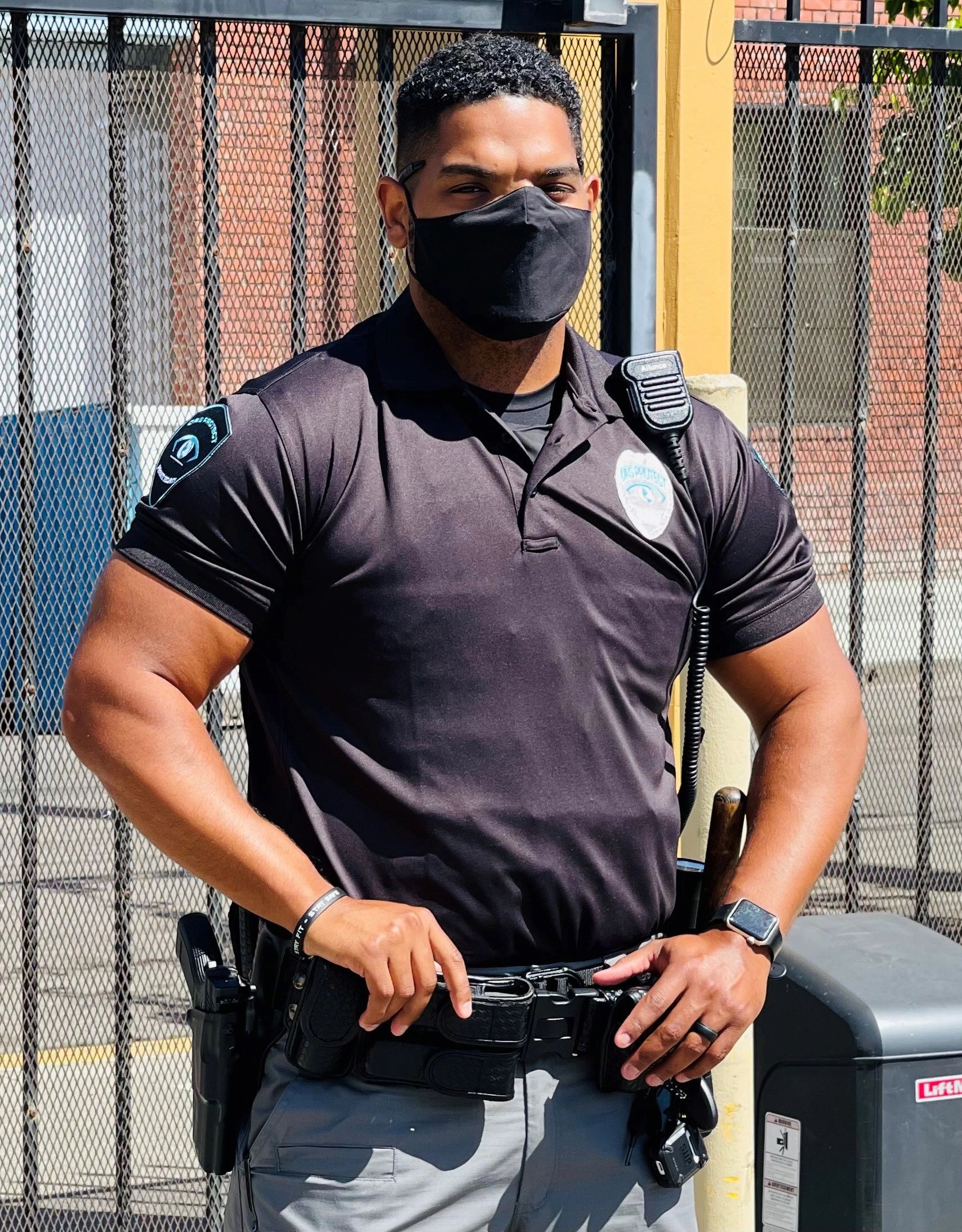
ready to make a selection?
You've reviewed our officer ranking system, service features, support options, and management services. The next step is telling us about your property, project, or security requirements.
Copyright © 2023 DRS Protect, Inc. - All Rights Reserved.
Private Patrol Operator License #120927
By using our website, mobile app, or Services, you acknowledge that you have read and agreed to our Privacy Policy and Terms and Conditions.